

Growth teams are always on top of the communication that they send to their customers. They need to know if they are sending too few or too many push notifications or emails. You know the importance of push notifications in marketing. And you know how important it is that users get the notifications you send. So it’s super critical to keep an eye on the number of notifications received by them. The right number of notifications can boost engagement for your app, but too many of them can drive users to uninstall the app. You should analyze notification frequency regularly to prevent this from happening. Using MoEngage Analytics, you can easily find out how many of your users are receiving notifications and how many notifications. Here’s how:Documentation Index
Fetch the complete documentation index at: https://moengage-ios-release-notes-breaking-changes-doc-1961.mintlify.app/llms.txt
Use this file to discover all available pages before exploring further.
Overall Distribution
- Go to Analytics > Behaviour.
- Select Notification Received Android as an event.
- Select Total events per user as the Analysis type and Distribution as Aggregation type in Behavior Options and click on Apply button.
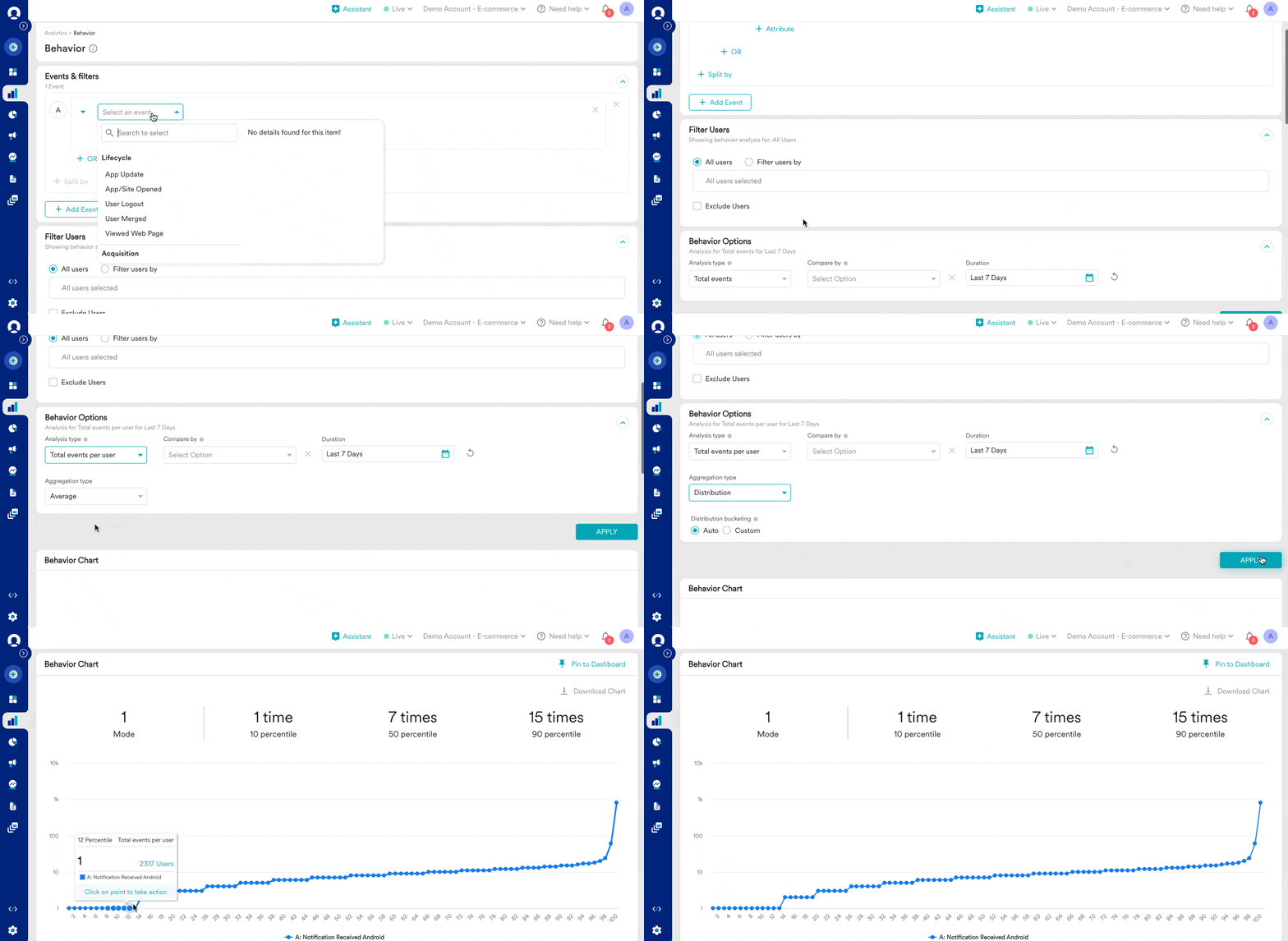
Custom Distribution
You can modify the distribution bucket based on your desired analysis and see how many users are receiving too many notifications or a specific number of notifications. You can see the user count for the selected bucket at the hourly, daily, weekly, or monthly level or you can see the user count for the selected bucket for the entire time duration.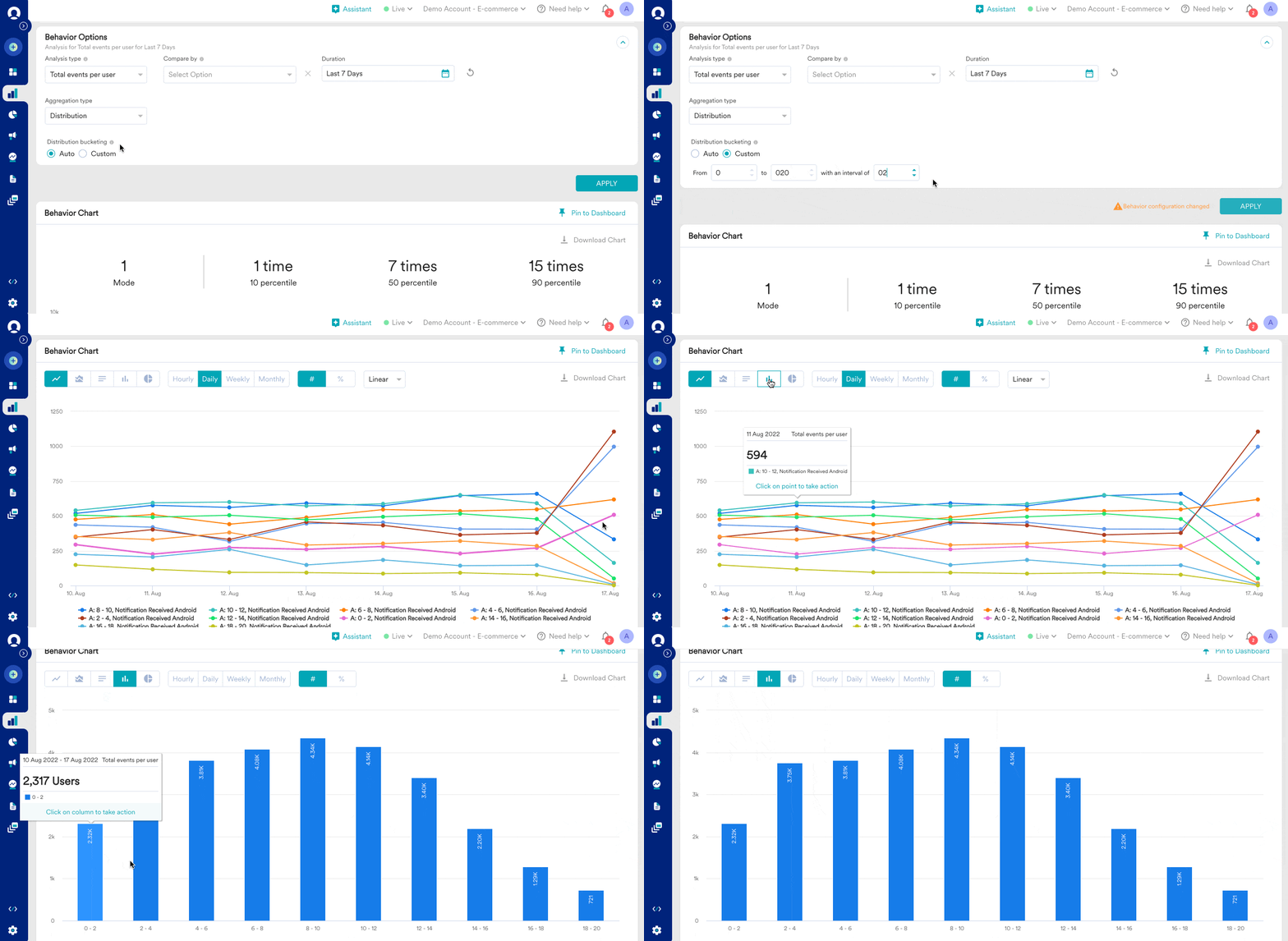
- Users receive more notifications and whether they are uninstalling.
- Users receive fewer notifications and whether they are engaging enough.
- Users receive an average number of notifications and whether they are converting.
- How many times do users open the app?
- How many users are repeat buyers?
- How many users open the app or buy too infrequently?
- What was the highest number of purchases per user for last month?