

Documentation Index
Fetch the complete documentation index at: https://moengage-ios-release-notes-breaking-changes-doc-1961.mintlify.app/llms.txt
Use this file to discover all available pages before exploring further.
Overview
MoEngage Personalize helps create connected experiences that bridge the gap between your user’s needs and the product experience. These real-time connected experiences help accelerate conversions for your product.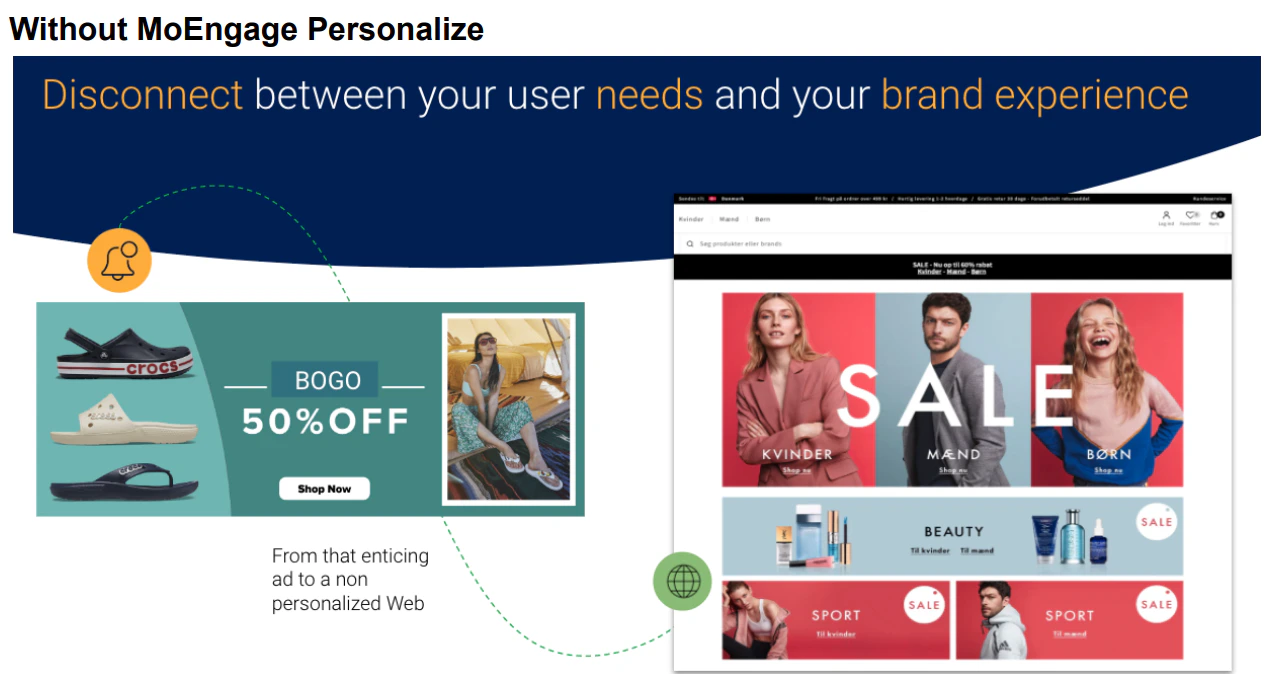
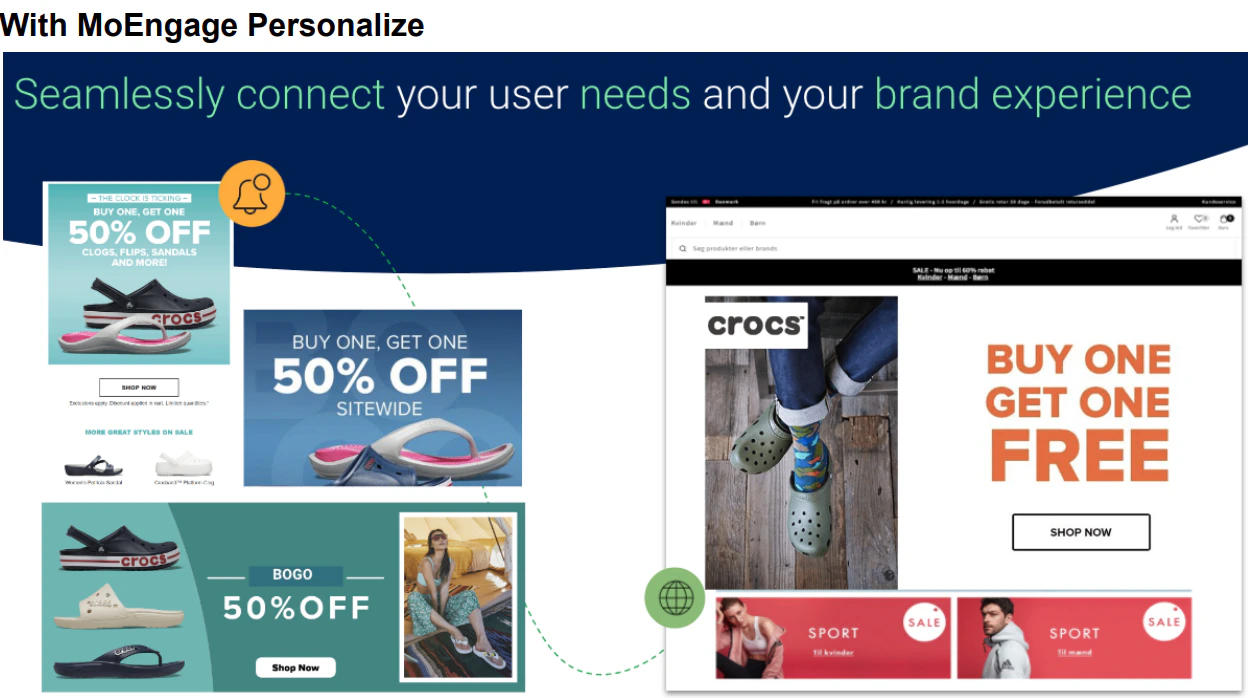
Advantages of Personalize
- Maximize conversions by delighting every visitor with experiences tailored to their preferences.
- Product recommendations that boost Average Order Value (AOV)
- Add in-the-moment context
- A/B testing at scale
- In-depth analytics
- Personalize for unknown visitors
Use Cases
Retail and E-commerce- Personalize messaging, content, product recommendations, and website banners based on the visitors’ location and language preferences
- Launch region-specific sales discounts and offers
- Show personalized home loan offers, content, and other recommended offers such as loans and product recommendations.
- Create tailor-made omnichannel campaigns based on traffic sources and pages viewed. For example, when a visitor clicks on a Facebook ad about credit card offers, you can show them the same offer on your website and send them a personalized email to nudge them to purchase.
- Returning visitors can be shown promotional offers on the home page designed specifically for them. For instance, if a visitor fills out a loan calculator on a bank’s website but does not apply for a loan, you can show a personalized banner based on variables entered in the calculator to nudge them to apply for the loan.
- Personalize website banners showing subscription upgrade offers for subscribers in a specific location.
- Show content recommendations based on the visitors’ past listening history, complementary products, or the most popular category.
- Show different website banners with customized offers—based on the subscription plan for premium and lower-tier subscribers.
- Customize website layouts such as Call-to-Action (CTA) buttons to show recommended shows and banners using the visual no-code editor.
- Dynamically restructure page layouts or swap website banners based on intent, most-viewed flights or hotels or travel destinations, preferences, and segments.
- Convert a known or unknown visitor to a customer by dynamically swapping your website banners based on real-time activity.
- Change home-page banners for visitors based on their segment profile and affinity. For example, you can show budget travel destinations to budget travelers and luxury travel packages to premium customers.