Account Lockout is a security feature that locks your MoEngage account when your login attempts seem suspicious. This helps you prevent attacks that might allow unauthorized entities to access an account.Documentation Index
Fetch the complete documentation index at: https://moengage-ios-release-notes-breaking-changes-doc-1961.mintlify.app/llms.txt
Use this file to discover all available pages before exploring further.
When a User’s Account Is Locked
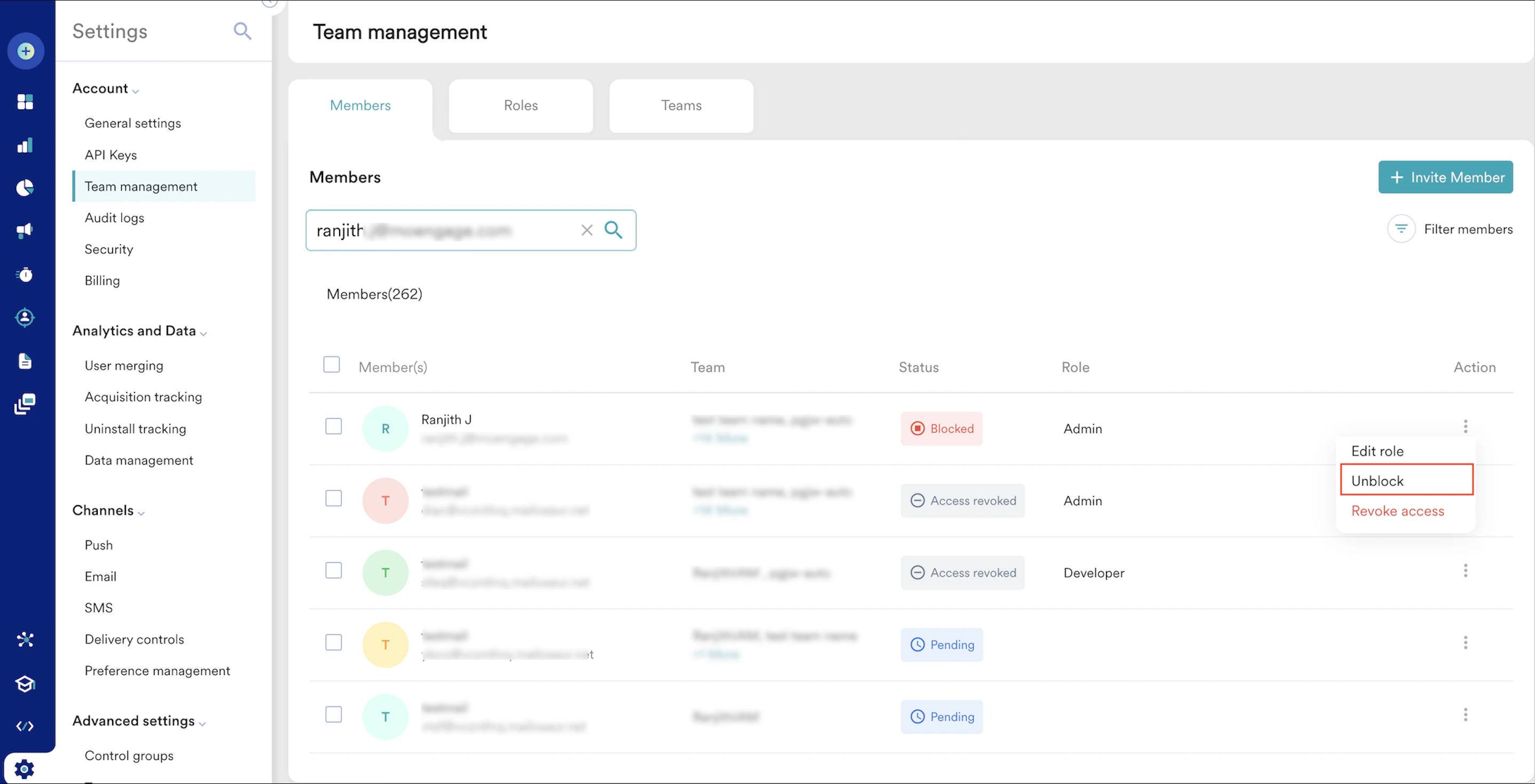
If you are a user and your account is locked, you must wait 3 hours (180 minutes) to unblock your account. After that, you can log in using the correct credentials. Alternatively, you can contact the MoEngage admin to get your account unblocked faster.Unblock a User’s Account as an Admin
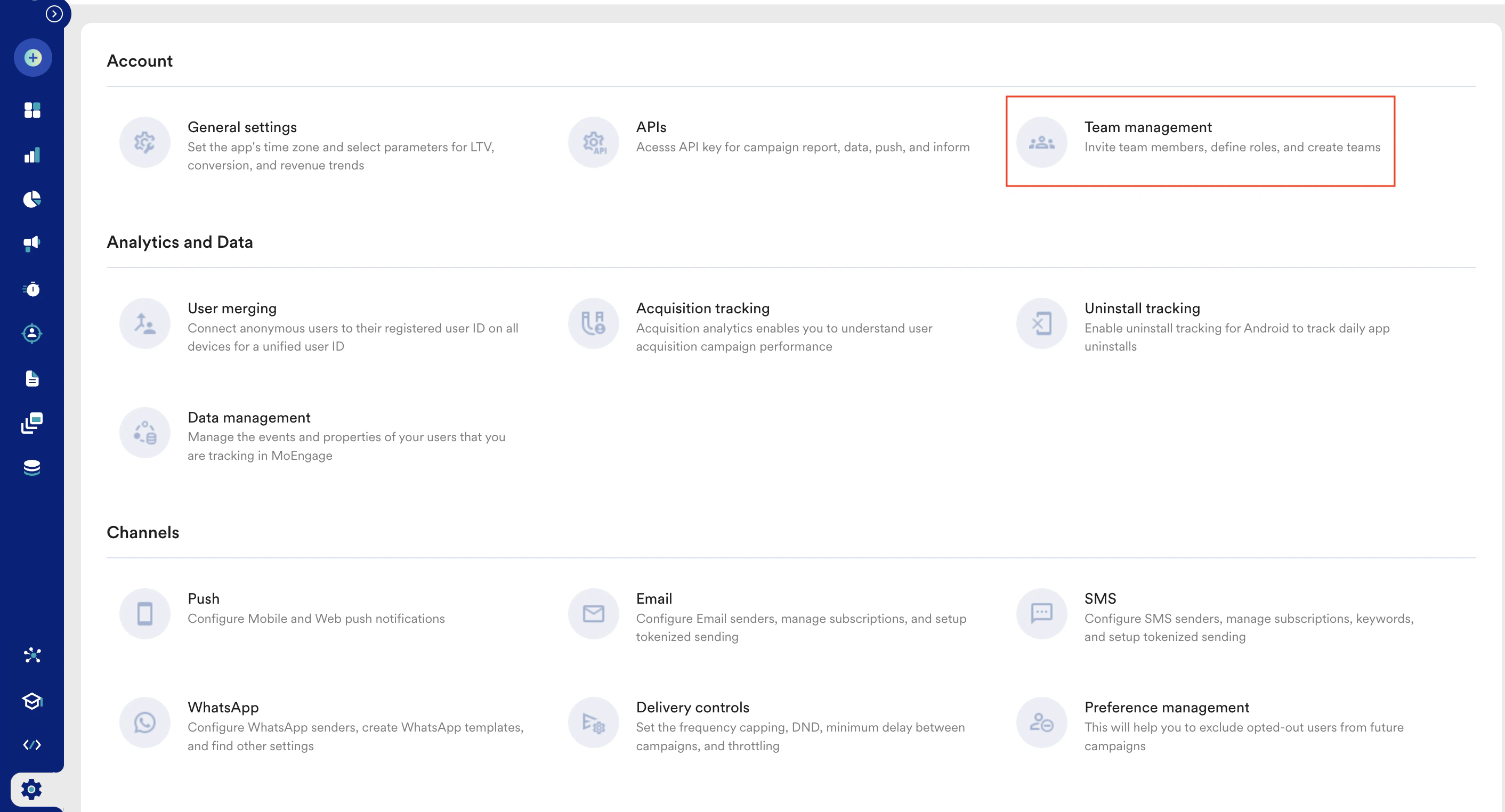
As an Admin, perform the following steps to unblock a user’s account:- On the left navigation menu in the MoEngage dashboard, click Settings > Account > Team management.
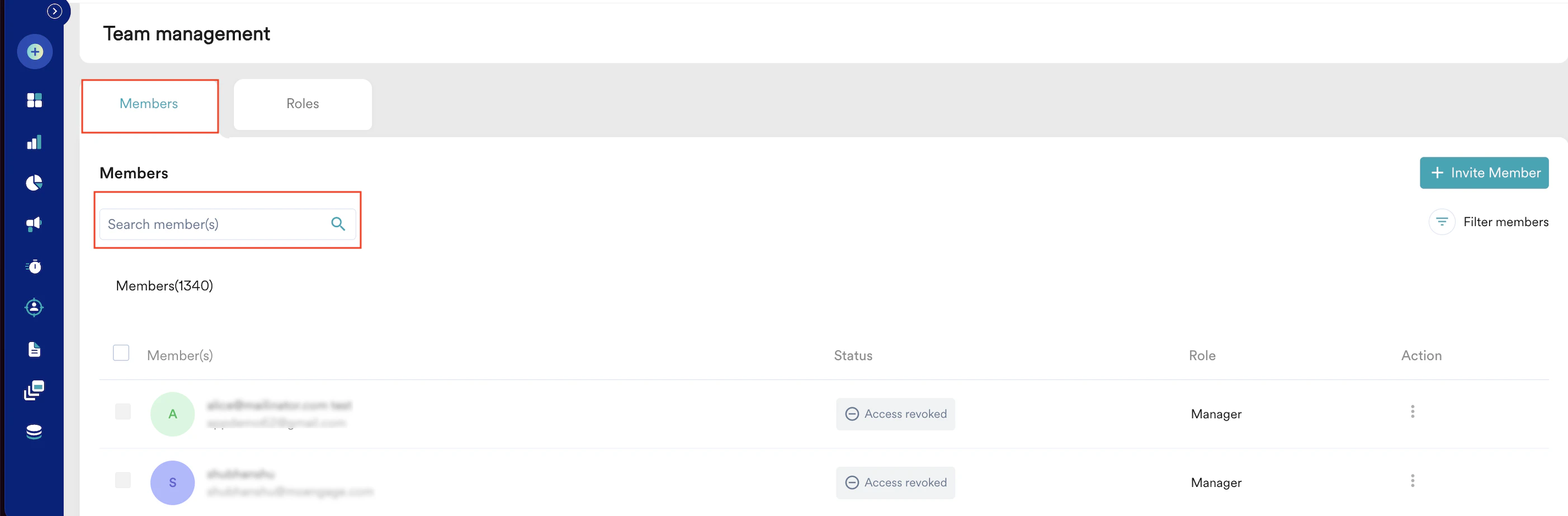
- On the Team management page, click the Members tab.
- In the Search member(s) box, type the email ID of the user whose account is blocked.
- Under the Action column, click the ellipse icon and click Unblock. (Users whose accounts are in the Blocked status will only have the Unblock option.)